

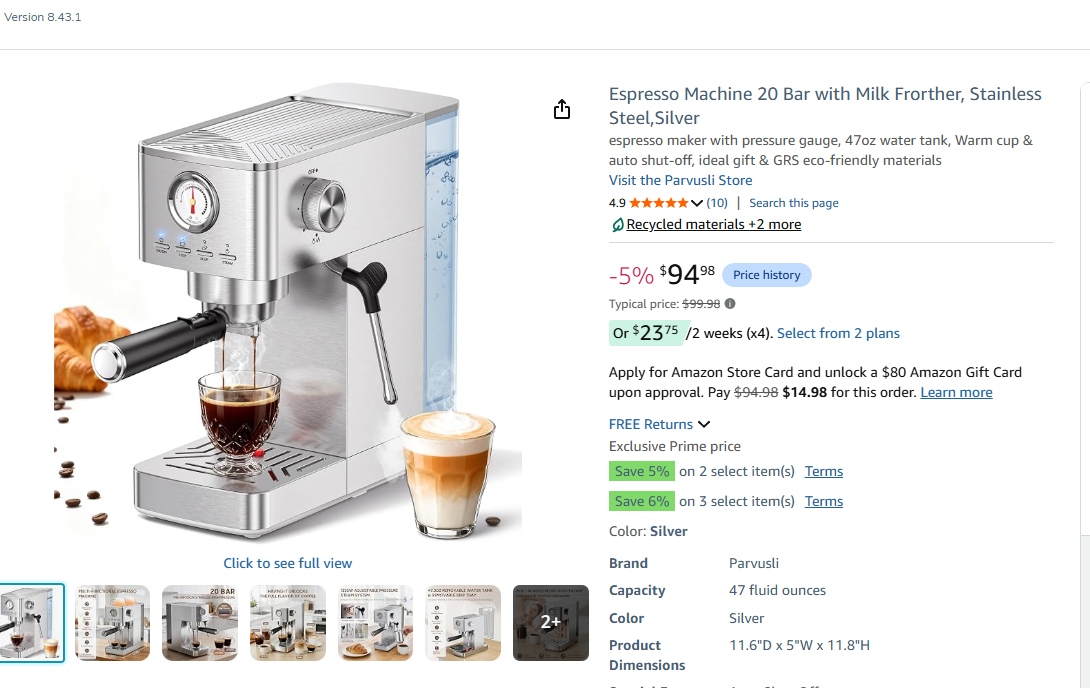
14 days to approve Amazon’s AI title rewrite
Amazon is now writing product titles on behalf of sellers whose titles break the character cap, and there is a clock on it. Brand owners “will have 14 days before these changes are implemented to review, modify and approve AI-generated” titles. Fourteen days is not a consultation. It is the interval between Amazon proposing your title and Amazon publishing it.
The cap itself is not new: “a reduction to a maximum 75 characters or less including spaces” is already in force. What is new is the enforcement mechanism, and the mechanism has a default. If nobody acts, Amazon’s version wins.
What the rule actually says
Seventy-five characters, including spaces. That is roughly eleven words of English, and for most catalogues it is a genuine cut rather than a trim. A title that used to carry brand, product, variant, size, quantity, material and a keyword tail now carries brand, product and one distinguishing attribute.
The space the cap removes has not vanished, it has moved. “Item Highlights provides an additional 125 characters” for supplementary product information, which puts 200 characters across the two fields combined. That is the design worth understanding: Amazon has not reduced how much text you can supply, it has separated the text a human reads at a glance from the text that supports the listing underneath. Sellers who treat the 75 characters as a shrunken keyword field and stuff it will lose twice, once to the cap and once to a title that reads badly next to competitors who used the highlights field properly.

From the publisher
Everything we know about running Amazon, in one course.
The commercial strategy, taught by operators who run our own brands.
The mechanism, and who it applies to
Amazon “began making recommendations, using your existing product titles, on non-compliant listings”. So the starting point is not a blank page or a template, it is your own title, cut down by a model. That is better than it sounds in one respect: the model is working from your words, not inventing new ones. It is worse in another: a model cutting a title to length optimises for length, and the thing it cuts is whichever clause it scores as least load-bearing, which is not necessarily the clause your buyers search on.
Two limits on this are stated and both matter.
First, the 14-day review window is described as belonging to brand owners. If you are a reseller on a detail page you do not own, the window is not described as yours. That distinction decides whether this story is a task on your list or a change that happens to you.
Second, control is not lost after the window. “If you disagree with the updates that Amazon have made or recommended, you can update your listings at any time” in Manage All Inventory or the List Your Products tool. So the 14 days is a deadline for keeping your version in place, not a deadline for having any say at all. Missing it means correcting a live title rather than approving a proposed one, which is more work and, for a period, a worse listing.
Tool comparison · FastMoss vs Kalodata
When a platform starts rewriting your product copy, the only way to know whether the new version works is to measure it. FastMoss and Kalodata both track how listing and creative changes move product performance on TikTok Shop, which is the discipline worth carrying back to your Amazon titles.
Comparison coming soon
FTC disclosure: our tool comparisons carry affiliate links. If you sign up through one we may earn a commission, at no extra cost to you. We rank on merit, never on commission, and the verdict is written by a human.
What a seller does differently on Monday morning
This one has a real queue attached to it, and the queue is time-boxed, which is rare.
- Check for title recommendations against your catalogue now rather than waiting for a notification, and treat any recommendation you find as having a clock already running. Fourteen days from a notice you did not read is still fourteen days.
- Rank the affected ASINs by revenue before touching any of them. The cap forces a choice about what to drop from every long title, and that choice deserves a human on your top sellers and an accepted default on the tail. Spending equal effort per ASIN is the most common way sellers lose money on a change like this.
- Rewrite the top ones yourself, to 75 characters including spaces, in this order: brand, what the thing is, the one attribute a buyer needs to pick the right variant. Everything else goes to Item Highlights, where you have 125 characters and no reason to leave them empty.
- Note which of your ASINs you do not own the brand registration for, because on those pages you are not the party with the review window and your influence runs through the page owner.

How to cut a title to 75 characters without losing the sale
The cap forces the same decision on every long title, and there is a way to make it quickly that beats agonising over each one.
Start by writing down what the title has to accomplish. It has to let a shopper who is looking at six similar products tell yours apart, and it has to let a shopper who arrived on the wrong variant realise it. That is all. It does not have to carry every search term, because search terms have other fields, and it does not have to carry your positioning, because that is what the images and bullets are for.
So the working order is brand, then the noun a buyer would use for the product, then the single attribute that separates this listing from its siblings. Size, count, colour, capacity, whichever one actually varies in your range. If two attributes vary, you have a variant structure problem, not a title problem, and the cap has just exposed it.
What goes out is the material most long titles are made of: the second and third synonyms for the product, the use cases, the compatibility lists, the adjectives, the parenthetical pack quantities repeated in three formats. None of that was ever persuading a human. It was addressing an algorithm that has moved on.
Then use the second field, where the compatibility list and the use cases have somewhere to go. A seller who leaves Item Highlights empty loses title space to the cap while 125 characters of structured space sits unused on the same listing. That is the avoidable loss in this change, and it is avoidable this week.
Brand owners and everyone else
The published window belongs to brand owners, and that splits the seller population into two quite different situations.
If you own the brand registration, this is a task with a deadline. You will be offered a rewrite, you have fourteen days, and after that the rewrite is implemented and your correction becomes an edit to a live listing rather than an approval of a proposal.
If you are a reseller on a page you do not own, the window is not described as yours, and the practical consequence is that a title you have been converting against can change without your involvement. There is no published mechanism for a reseller to object. What a reseller can do is notice: a title change on a page you depend on is a change to your conversion rate, and if you are not tracking title text alongside performance you will read the resulting dip as a market shift or a competitor’s promotion.
Keeping a dated record of the title text on your highest-volume borrowed pages is unglamorous and takes minutes. It is also the only way to attribute a change you did not make.
The scope we cannot stretch
The guidance behind this points at UK Seller Central. We are not going to tell you it lands identically in every European marketplace on the same day, because that is not what has been published, and marketplace-by-marketplace variation in rollout is normal rather than exceptional. Treat the UK as confirmed and the rest as probable, and check your own account for each marketplace you sell in.
Nor is there an exemption list in this guidance. If you have been assuming your category is special, the assumption is not supported.
Tool comparison · FastMoss vs Kalodata
Titles, attributes and creative are all one job now: make the product legible to a machine. Our comparison of FastMoss and Kalodata covers which one shows you the product-level detail you need to tell a good rewrite from a bad one.
Comparison coming soon
FTC disclosure: our tool comparisons carry affiliate links. If you sign up through one we may earn a commission, at no extra cost to you. We rank on merit, never on commission, and the verdict is written by a human.
Why Amazon is doing this, and what it changes about titles
A 75-character title is not a concession to mobile screens, or not only that. It is a consequence of who reads titles now. When a shopping assistant, a voice interface or a search summary is deciding which three products to mention, a title built as a keyword bin is a liability: it is harder to parse, it dilutes the product’s actual identity, and it makes two similar products look identical. Amazon has spent the last two years making machines the first reader of its catalogue. A short, clean, structured title is what a machine wants. The Item Highlights field is where the detail goes so the machine can still find it.
That reframes the seller task. For a decade the title was the most valuable real estate on a listing and the discipline was to fill it. The discipline now is to make it unambiguous: which product, which variant, whose. Keywords still matter, they just no longer live in the shop window.
The three-line version
- If you run the listings: check for recommendations now, rank the affected ASINs by revenue, rewrite the top ones yourself, and fill Item Highlights.
- If you have just taken on the catalogue: the gap to name is that nobody owns title text as a standing job with a compliance edge and a fourteen-day clock.
- If you sign the budget: there is no spend here. The cost of ignoring it is a model choosing your titles for you inside a fortnight.